AI on its own
- Writes a new backtester for every question
- Uses whatever price data it can find
- New code each time, tested by no one
- A result you cannot open on a chart
- No analytics to say what to fix next
Connect Claude, ChatGPT or another MCP client to Forex Tester Online. Your AI builds the strategy, backtests it on up to 23 years of real tick data, shows you every trade and uses FTO analytics to find what to improve.
Backtest with AIFTO MCP fixes that.
1 · ASK
Describe the idea in your own words
2 · BUILD
Claude or ChatGPT picks the FTO tools
3 · CONNECT
Signed in with your FTO account
4 · BACKTEST
Runs on real history. You check the trades, analytics show what to fix
A 4-minute walkthrough with trader Jack Brown.
One strategy, one AI, six kinds of work.
1Build
“Test my London breakout on EURUSD for 2024.”
Written, compiled and run in minutes.
2Diagnose
“What drags the results down?”
Analytics show it: Mondays lose, the rest of the week wins.
3Refine
“Skip Mondays and run it again.”
One rule changed, same entries.
4Optimize
“Find better exits for these entries.”
Same entries, new stop and target.
5Verify
“Check it on 2025, a year it has never seen.”
Still above break-even on fresh data.
6Stress-test
“Would it pass a 10% prop challenge in 90 days?”
58% passed
34% out of time
8% loss limit
Of 1,000 simulated challenges, 58% passed, 34% ran out of time and 8% hit a loss limit.
The data is from hypothetical use cases. It shows the kinds of work your AI can do in FTO and is not a result of real tests, a forecast or advice.
A backtest result is only the start. Your AI reads the same analytics you see in FTO, finds where the strategy is weak and proposes the next change to test.

FTO checks risk per trade, direction bias, drawdown structure, holding time, sessions and much more. Each finding says what it costs and what to change.
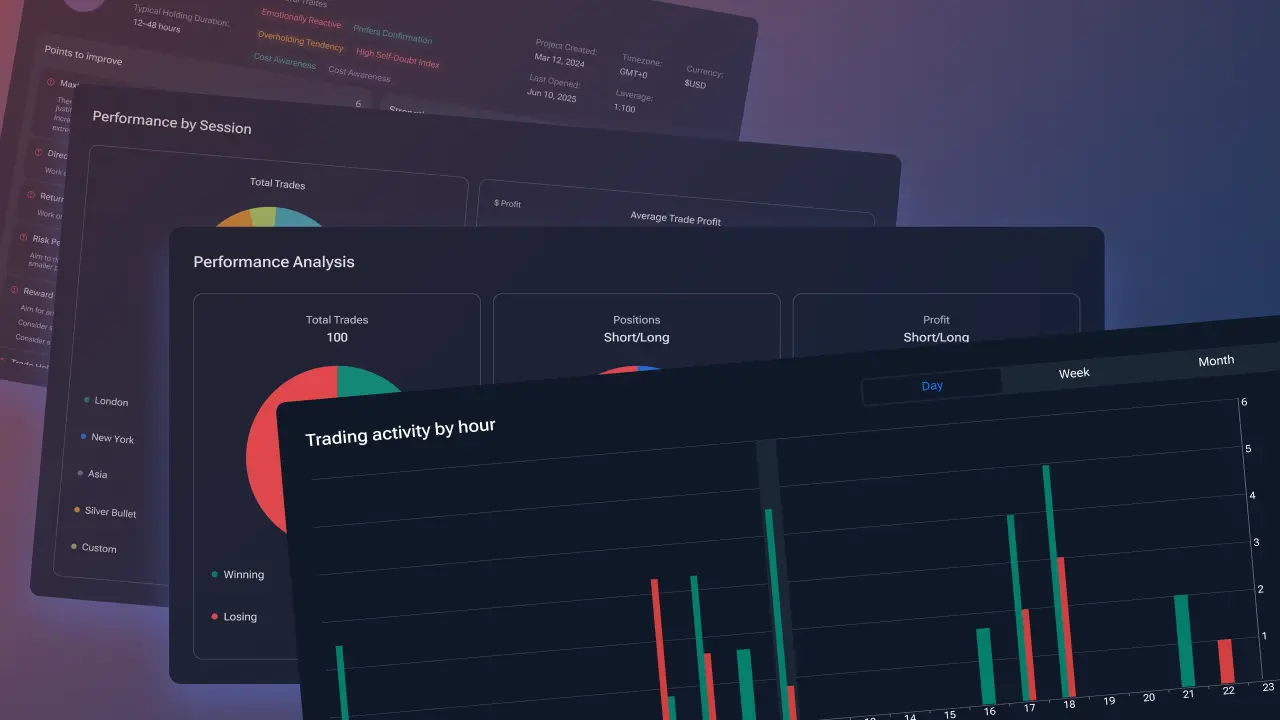
Your best and worst sessions, days and hours, and the time slots to avoid.
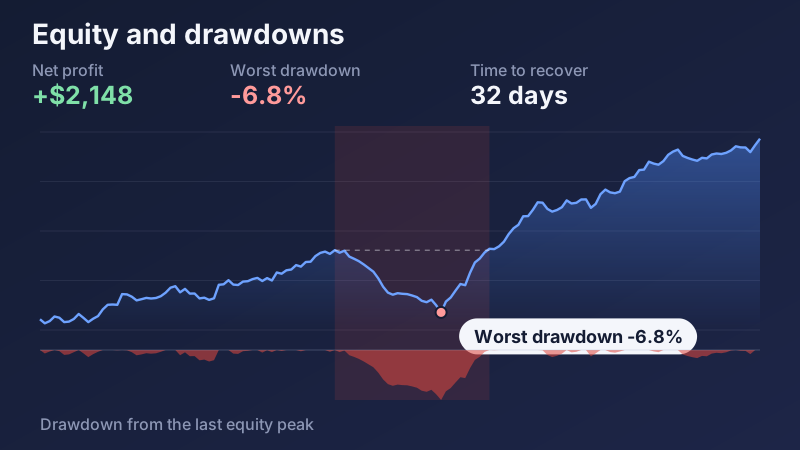
How deep the worst stretch went and how long recovery took.
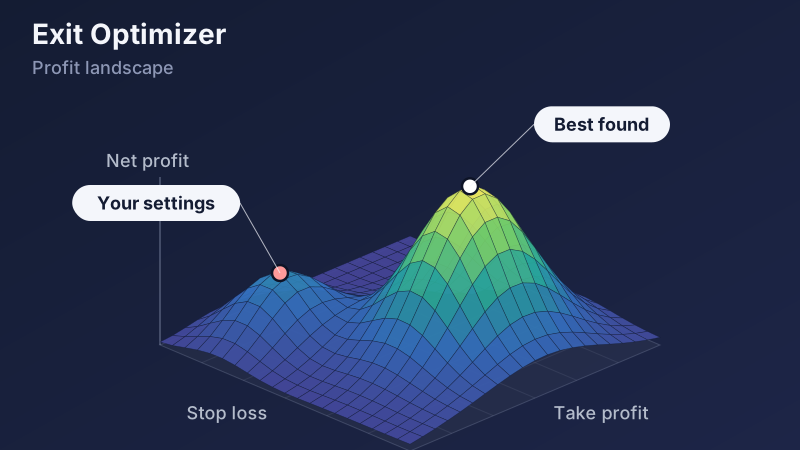
A 3D map of profit for every stop, target and holding time on your entries.
Which setups and market conditions actually pay.
You look at charts. Your AI gets the numbers behind them through MCP: every table, breakdown and check as structured data, so it works with exact values instead of guessing from a picture.
You see
Your AI reads
{ session: "London", trades: 74,
  net: 1840, profitFactor: 1.71 }
{ session: "New York", trades: 63,
  net: 310, profitFactor: 1.09 }
{ session: "Asia", trades: 75,
  net: -1570, profitFactor: 0.62 }
Your AI answers
Asia entries lose: 75 trades, -$1,570, profit factor 0.62. London carries the strategy. Want me to rerun it without Asia entries?
Example with made-up numbers.
Charts show sample data. How deep the analytics go depends on your plan; Exit Optimizer is part of Pro.
Export your trade history from your trading platform, import it into FTO and ask your AI to review it. The same analytics that check a backtest go through your own trading.
Your AI finds which sessions, weekdays, setups and exits made money and which mistakes cost the most, then suggests a fix you can retest on history before you trade it. Trade history import is part of Pro.
“Review my last 300 trades. What worked and what did not?”
Example of a review, not real results.
MetaTrader, TradingView, NinjaTrader, cTrader and FX Replay are trademarks of their respective owners. Forex Tester is not affiliated with, endorsed by or sponsored by them.
Import your trade history from MT4/5, TradingView, NinjaTrader, cTrader and other platforms. Your AI reviews them like a trading journal with answers: what went wrong, which sessions and exits cost you most, and what to test next.
Ask for the same strategy on EURUSD and gold, on H1 and H4. Your AI sets up each test, runs them one after another and compares the results.
Keep your entries. Exit Optimizer tries stop-loss, take-profit and holding-time combinations on your test. Then ask your AI to check the winner on a fresh period.
39 futures, including CME contracts such as NQ, ES, GC and CL, 112 Forex pairs, 49 indices, 47 ETFs, 21 stocks, 23 commodities and crypto. Up to 23 years of tick data with realistic spreads, swaps and commissions. The symbol list depends on your plan.
 Forex112 pairs
 Indices49 symbols
 Stocks and ETFs68 symbols
 Commodities23, with gold and oil
 CryptoBTCUSD, ETHUSD
Copy a prompt and paste it into your AI.
Turn this into a strategy (EA) and backtest it on NQ futures M5 for Q1 2025: trade the opening range breakout (ORB) at the New York open, stop on the other side of the range, target 2R.
You get a saved test with every trade on the chart, plus analytics that show where the strategy is weak and what to change.
Import my MT5 trade history and analyze it: what worked, what did not, which sessions and exits cost me the most, and what should I change?
You get a breakdown by session, weekday and exit, and a short list of what to test next.
Look at the losing trades in this test. What do they have in common, and what should I test next?
FTO analytics find the patterns behind your losses, and your AI turns each into an idea to test.
Build an indicator that marks ICT liquidity sweeps and Fair Value Gaps on GBPJPY M15 and add it to my chart.
You get an indicator on your FTO chart that you can keep, tweak and reuse.
How likely is this strategy to pass a challenge with a 10% target, 5% daily loss limit and 10% max drawdown in 90 days?
You get pass and fail odds from a challenge simulation on your own trades.
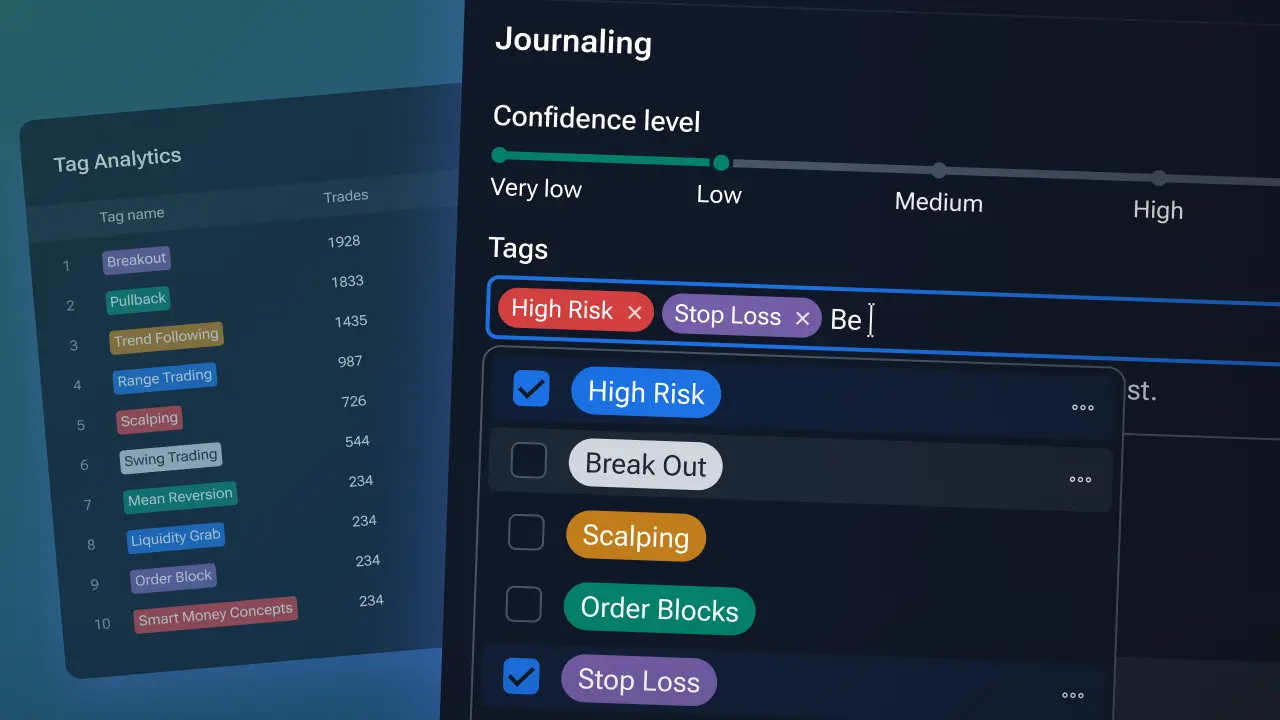
Open EURUSD on M15, step to the London open and wait. I will tell you when to buy or sell, then tag each trade in my journal.
Your AI steps the chart for you and logs every trade in your journal.
Your AI can use the FTO features your plan includes. Futures symbols, trade history import and prop-challenge simulation are part of Pro.
You need a Forex Tester Online plan and an AI assistant that supports MCP connectors. You sign in with your FTO account, so there are no API keys to copy.
The steps below change to match.
Enter FTO as the name. Paste the server URL and click Add.
https://app.forextester.com/mcp
Sign in with your FTO account to authorize access.
Try this first. Listing your projects is a free service call, so it costs no MCP tokens.
Use FTO to list my projects and suggest three things I could test with them.
What others call Pro, for much less
Automation and smart insights to improve faster
Save $300.88 a year compared to the monthly plan!
We're confident in our platform — but if it's not for you, get a full refund
You can cancel the subscription anytime. After clicking the "Start Subscription" button, you'll be directed to the Forex Tester Online registration page to sign up and begin using the plan.
By purchasing, you agree to our Terms of Use and Privacy Policy.
Pick a plan, connect Claude or ChatGPT, and ask your first question.
Backtest with AI

 Signed in