English
 Deutsch
 Italiano
 Français
 Português
 ไทย
 Tiếng Việt
 Polski
 Türkçe
 Nederlands
 Română
 한국어
 Svenska
 Español
FX Replay is a fairly good backtesting service. However, nothing is perfect. And when it comes to professional testing, in addition to known benefits, it has certain disadvantages. In this article we will try to honestly compare it with FX Replay alternatives, highlight the advantages and find the cons.
Let’s find the best backtesting solution for active traders in 2026!
*Start with Forex Tester Online if you want to test a manual trading strategy with tick data, a journal and room to grow from Free to Pro.
Why Look for a FX Replay Alternative?
So, before moving on to alternatives, let’s talk about FX Replay itself. Let’s start with compliments.
This service is very convenient, has a good design, and a simple interface. You can easily find all indicators, all statistics, and all orders. The service also works entirely online through a browser. It generally has good UX.
Then why look for alternatives? The useful question is which platform fits your market, testing workflow and budget.
Compare the current platform
FX Replay introduced its own charting engine in October 2026. Its documentation now includes custom indicators, Go To navigation and automatically saved layouts.
Check the plan limits
FX Replay offers a free Beginner plan alongside Intermediate and Pro, but Beginner is tightly limited: only 2 backtesting sessions, each covering at most 1 month of historical data, with 50 trades per session. Trade history is retained for just 1 week. You get 1 indicator, no multi-chart layouts and only 3 Go To uses per hour; seconds data and CME futures are not included. It is enough to explore the interface, but restrictive for testing a strategy across longer periods or keeping a growing record of results. Its paid plans include a prop firm simulator, Monte Carlo and RR analysis. Seconds data and CME futures require Pro. Compare those limits with the instruments and tools you actually use, rather than treating FX Replay as a beginner-only product.
Free plans compared: FX Replay Beginner vs FTO Free
| Free-plan capacity | FX Replay Beginner | Forex Tester Online Free |
|---|---|---|
| Saved tests | 2 sessions | 3 active projects |
| Historical period per test | Up to 1 month per session | Up to 100 calendar days per project |
| Trades per test | 50 per session | 100 per project |
| Charts | Multi-chart layouts not included | 2 charts |
More room to test for free: FTO gives you twice as many trades per project, a longer test period and two charts for checking your setup across timeframes. Three active projects let you keep separate tests for different strategies or markets.
Best FX Replay Alternatives
Below are seven alternatives, followed by two additional free options.
1. Forex Tester Online
The new Forex Tester Online service is based on the Forex Tester tool, which is already used by tens of thousands of Forex traders around the world. If you have already tried Forex Tester, you will definitely like FTO. FTO offers Free, Starter and Pro plans, so you can choose the tools and capacity your testing needs.
FTO combines browser-based manual backtesting with tick-level historical data, a trading journal and analytics. Use a desktop or laptop for the full testing workspace.
FTO lets you return to saved projects and keep developing the same trading idea across sessions.
FTO’s Smart Navigation takes you to price levels, orders, news events and indicator signals, helping you find relevant setups without scrolling through quiet periods.
Try Forex Tester Online Free
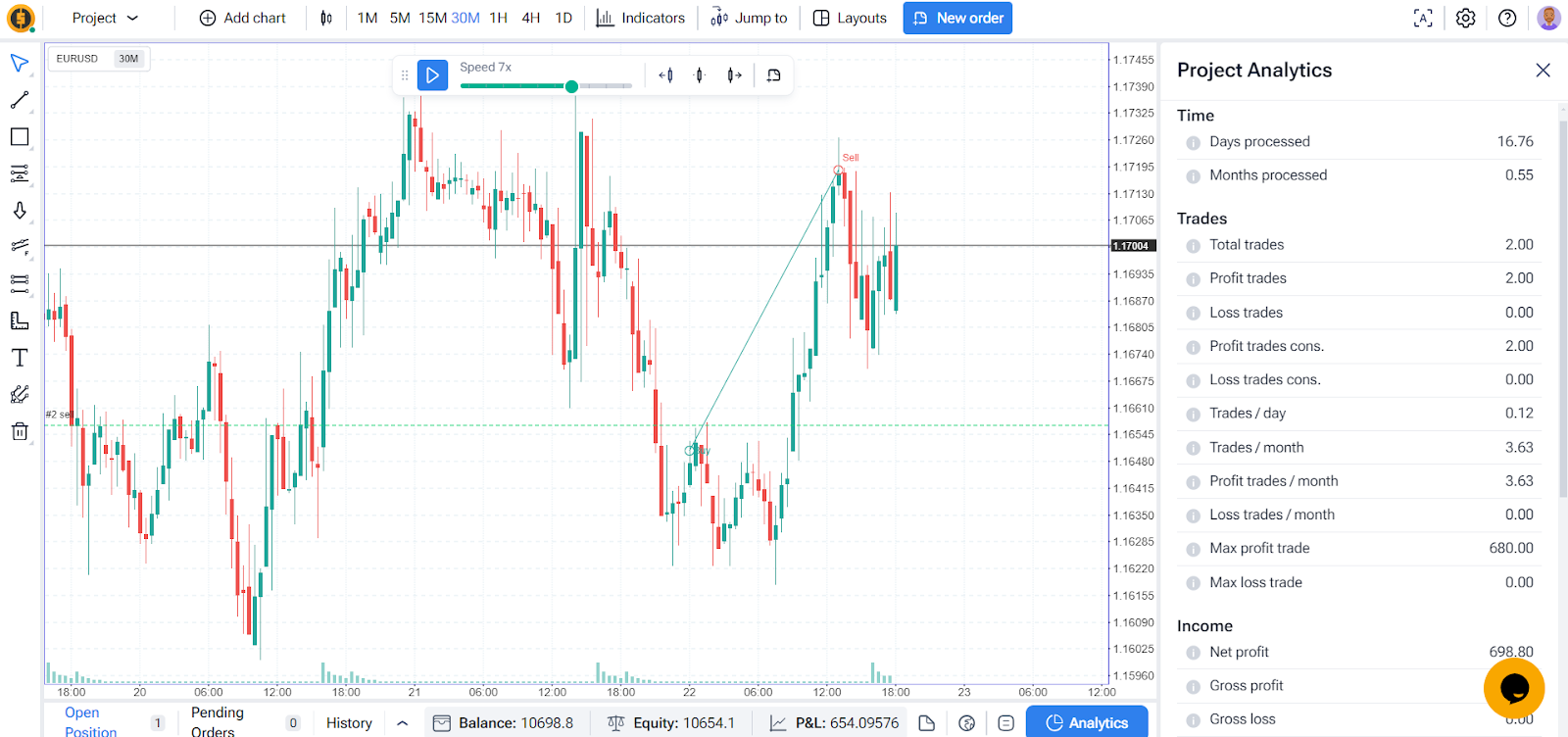
You can try the free version of Forex Tester Online without a credit card or a trial deadline. Free includes 140+ instruments, 3 active projects, 2 charts, and up to 100 days and 100 trades per project. Choose a start date within the available history, which reaches up to 23 years depending on the instrument.
Use Smart Navigation to find setups, record trades in the journal with tags, notes and screenshots, and review basic statistics and 2 insights. You can also import up to 100 trades from a supported platform. When you need longer tests, more capacity or Pro tools such as CME futures and Exit Optimizer, upgrade on the same account and continue with your existing projects.
Forex Tester Online (FTO) vs FX Replay
Let’s compare some features of FX Replay and Forex Tester Online
| Feature | FX Replay | Forex Tester Online |
|---|---|---|
| Assets types | Currencies, Crypto, Indexes, Futures, Energy, Agriculture | Currencies, Crypto, Indexes, Futures, Metals, Exotic |
| Data precision | Minute bars; seconds data on Pro (availability varies by asset) | Tick-by-tick data for precise backtesting |
| Years of data | Varies by asset and data source | Up to 23 years, depending on the instrument |
| Launched in | 2022 | 2024 |
| Refund options | No | Within 30 days |
| UI design | Own charting engine (New Chart) | Purpose-built interface optimized for backtesting |
| Different types of orders | Yes | Yes |
| Multi-asset testing | Up to 6 assets per session | Add symbols during active testing without restart |
| Deposit/Withdrawal | Limited during testing | Can add/withdraw funds during active testing |
| Terminal | Yes | Yes |
| Order history | Yes | Yes |
| Speed management | Yes | Yes |
| Indicators management | Yes | Yes |
| Custom indicators | Yes, using FXR Script | Yes, on Pro |
| Jump to / Go forward | Yes, Go To navigation | Yes |
| Custom Automations | No | Yes |
| Exit Optimizer | RR Simulator changes TP while keeping entry and SL | Exit Optimizer tests SL, TP and holding time |
| Blind Testing mode | No | Yes |
| Prop Challenge | Yes, on paid plans | Yes |
| Support | Chat and email support | Live in-app chat with support specialists |
| Price | $180/year (Intermediate) / $350/year (Pro) | Free, Starter and Pro; see current pricing |
Analytics That Coach You, Not Just Count
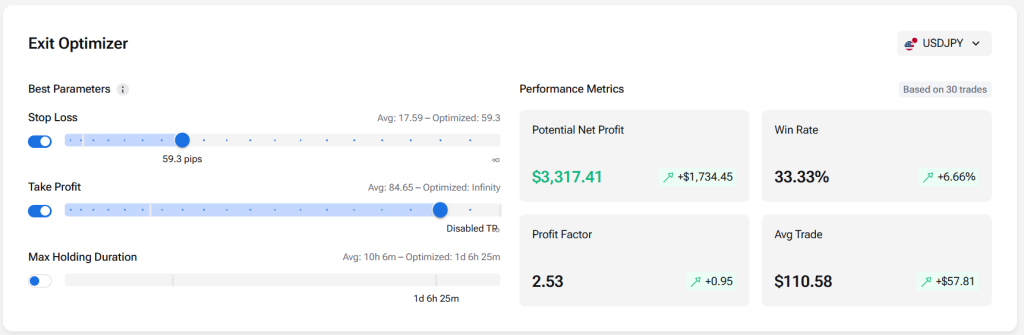
FX Replay gives you solid stats: win rate, drawdowns and a trade journal. FTO goes past reporting. Trade Analyzer turns your trade history into specific recommendations on what to cut, what to trade more and where your edge actually sits. The Exit Optimizer then tests thousands of stop-loss, take-profit and holding-time combinations on your own entries and shows which set performed best on that sample. Treat it as a data-backed starting point for systematic exits, not a guarantee: it needs a consistent system and 50+ trades, and should be re-checked as markets change.
Futures Backtesting on Official CME Data
Both platforms offer futures, but FTO replays them the way CME actually trades them. It runs on licensed CME tick data. Back-adjusted continuous contracts toggle in one click, and daily candles close on the official settlement price, so your levels match TradingView. Positions are whole contracts only, and at rollover open trades close automatically, so the roll gap never turns into fake P&L. Order-flow traders also get the Footprint chart, Big Trades and CVD inside the backtest. For futures traders, that makes FTO a backtesting platform that behaves like the exchange, not just a replay of its prices.
Load Your Favorite Indicators in a Flash
Got your own custom indicators? Uploading them into Forex Tester Online is fast and hassle-free. Use indicators created for FTO’s supported format; indicators from other platforms may need to be adapted.
Smart Navigation for Your Backtests
Forex Tester Online now comes with an upgraded time machine! You can Jump to Historical Moments like big market shocks or events that moved prices like crazy. Or simply fast-forward to the Next Trading Session — Asian, European, New York — or even to the exclusive Silver Bullet Session. Need precision? Jump to a Custom Date, Next News Event, or just hit the Next Day Open. Your replay, your rules.
And if that’s not enough… how about jumping forward till the price hits exactly the level you want? Whether it’s a specific price, a psychological round number, a line you’ve drawn on the chart, a session high, or the high of the previous daily candle — go there in one click. You can even fast-forward until your pending order gets triggered or your current trade is closed.
These ultra-flexible controls are built to save you time and supercharge your strategy testing. Choose the navigation tools that match the setups you want to test.
Prop Challenge Simulation: Perfect Your Funded Trading Skills
FTO’s Prop Challenge mode transforms how traders prepare for proprietary firm evaluations. Instead of risking challenge fees on unproven approaches, you can create realistic simulation environments that match the exact requirements of today’s popular prop firms.
Set up your custom challenge with:
- Precise profit targets (5%, 8%, 10% or custom goals)
- Maximum daily and total drawdown limits
- Required minimum trading days
- Starting account balance options
- Time window restrictions
The platform provides real-time feedback on your performance metrics, showing exactly how you’re tracking against challenge parameters. This instant visibility helps you identify strategy weaknesses before they would cost you in a real evaluation.
Think of it as your personal prop firm simulator – a risk-free environment to refine your approach and build confidence before committing actual capital to official challenges. For traders serious about securing funded accounts, this feature alone can save thousands in repeated evaluation fees.
Custom Automations to Speed Up Your Testing
Imagine setting your own rules and letting the software do the grunt work. With the Automation feature, you’ll be able to create smart, custom automations for every symbol or timeframe. Want the tester to pause when price hits a key level? Or place a trade when certain conditions align? Just define your comparison logic, set the action, choose how often it should trigger, and when it should expire. It’s like having a personal assistant for your backtesting.
Test Your Skills with Blind Mode
Think you can trade without bias? Activate Blind Mode to trade a random asset with shifted prices. Identifying details such as the instrument and historical date are hidden, which is perfect for sharpening pure price action skills and eliminating emotional baggage.
Forex Tester Online is actively evolving with new features being added regularly.
Among the recent developments are:
- CME Futures Backtesting
- Order Flow Indicators
- Advanced Analytics
- Prop Challenges Simulations
- Backtesting Automations
- Volume Indicators
The development roadmap includes:
- AI Strategy Builder
- Tick charts
FTO has many advanced features for professional traders. It is already a great alternative with even more advanced tools to come. The lifetime pricing model offers exceptional value, as you pay once and receive all upcoming features at no additional cost, even as the product develops and the price potentially increases.
FTO offers a Free plan, paid subscriptions and Lifetime access. Compare the current Starter and Pro offers with the features you need; prices and promotions can vary by region.
Overall score: 9/10.
Now, let’s look at a few other FX Replay alternatives.
2. NakedMarkets
NakedMarkets is a Forex trading simulator that targets both novice and experienced traders, aiming to offer a realistic and detailed environment for strategy testing using historical Forex data.
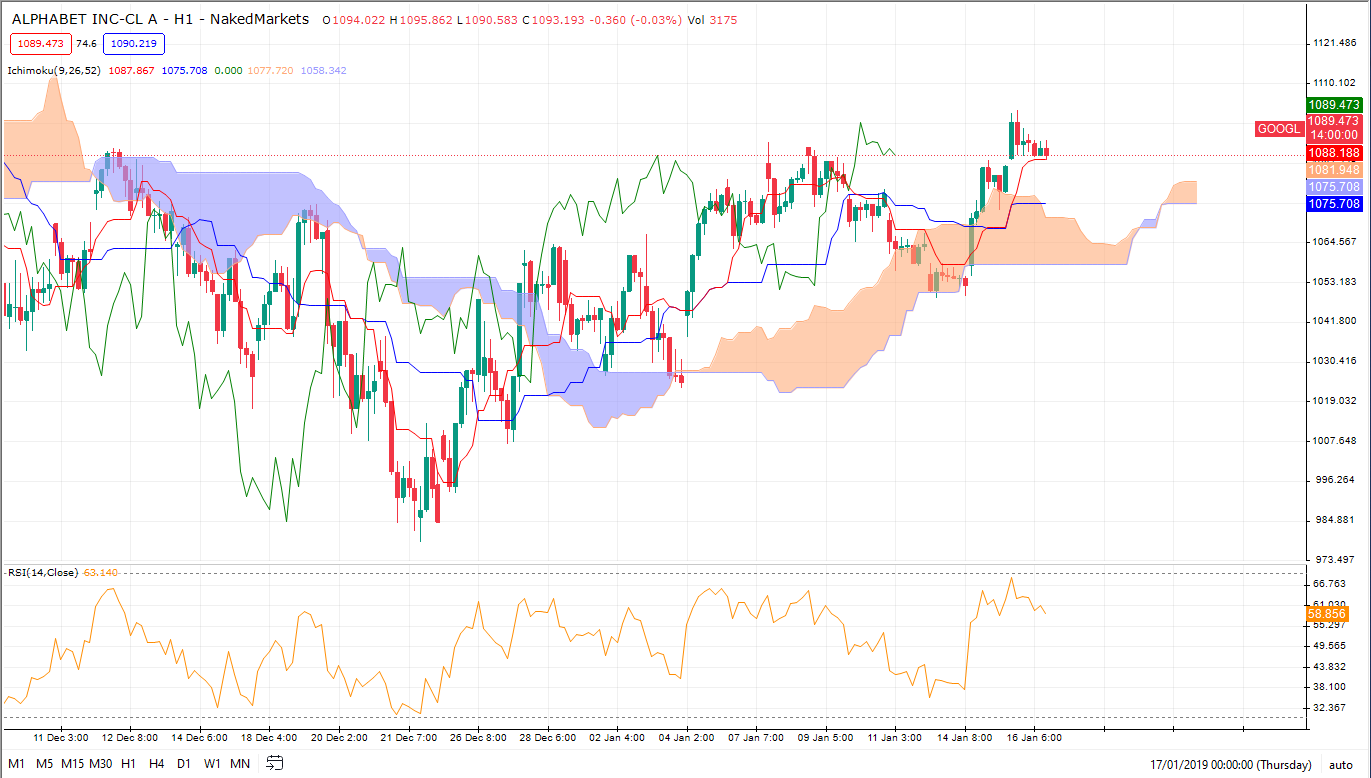
Advantages
- Realistic simulation. NakedMarkets uses high-quality, tick-by-tick data, which is crucial for accurately simulating the Forex market. This allows traders to see how their strategies would have performed in real historical conditions.
- Customization. Users can customize various aspects of their trading strategy including entry, exit, and money management rules. This level of customization is important for traders who want to refine specific elements of their trading approach.
- User interface. The platform is designed to be intuitive and user-friendly, catering both to beginners who need ease of use and to active traders who require in-depth analytical tools.
- Backtesting speed. NakedMarkets is known for its fast backtesting capabilities, which means traders can run multiple tests over large sets of data without significant delays.
- Risk management tools. Incorporating robust risk management tools helps traders understand potential losses and adjust their strategies to mitigate these risks effectively.
Disadvantages
- Cost. Compared to some other simulators that might offer free versions with limited capabilities, NakedMarkets requires a purchase, which might be a barrier for those just starting out or looking to experiment without financial commitment. The software itself might only cost between $100 and $500. But professional quality historical data can cost you $30+ per month.
- Complexity for beginners. While it is user-friendly, the depth and range of features might overwhelm beginners who are not yet familiar with Forex trading complexities.
Overall score: 7/10.
3. Soft4FX
Soft4FX specializes in developing software for Forex traders. Its Forex Simulator is available as an add-on for MetaTrader 4 and MetaTrader 5 on Windows.
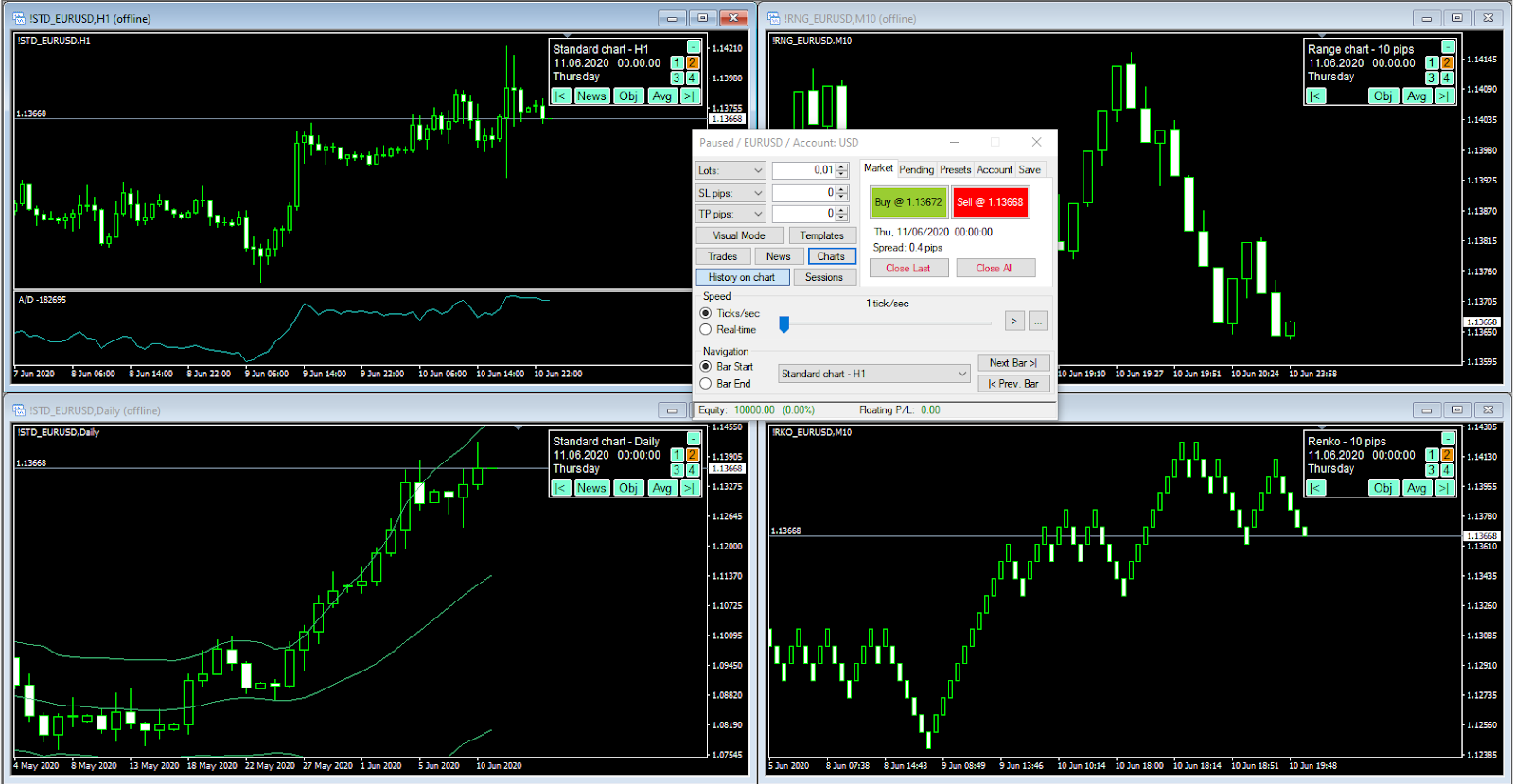
Advantages
- Ease of use. It works within MT4 or MT5, making it familiar to traders who already use MetaTrader.
- Reasonable price. Soft4FX Forex Simulator costs $109 for lifetime access, which is relatively affordable.
- Versatility. It allows for day trading practice as well as longer-term trading simulation, giving it versatility for different trading styles.
Disadvantages
- MetaTrader and Windows required. Soft4FX has MT4 and MT5 versions, but it is not a browser-based platform.
- Instrument coverage. The MT5 version includes Forex, metals, indices, oil and crypto, but you should check its instrument list for your market.
- No live trading features. The simulator is strictly for backtesting and practice; it doesn’t offer features to transition strategies directly into live trading, which can be a drawback for those looking to seamlessly move from testing to real trading.
- Separate versions. Saved simulations cannot be transferred between the MT4 and MT5 versions.
Overall score: 5/10.
4. Tradewell.app
Tradewell.app appears to be a trading platform that focuses on providing access to various financial markets including cryptocurrencies, stocks, and, of course, Forex.
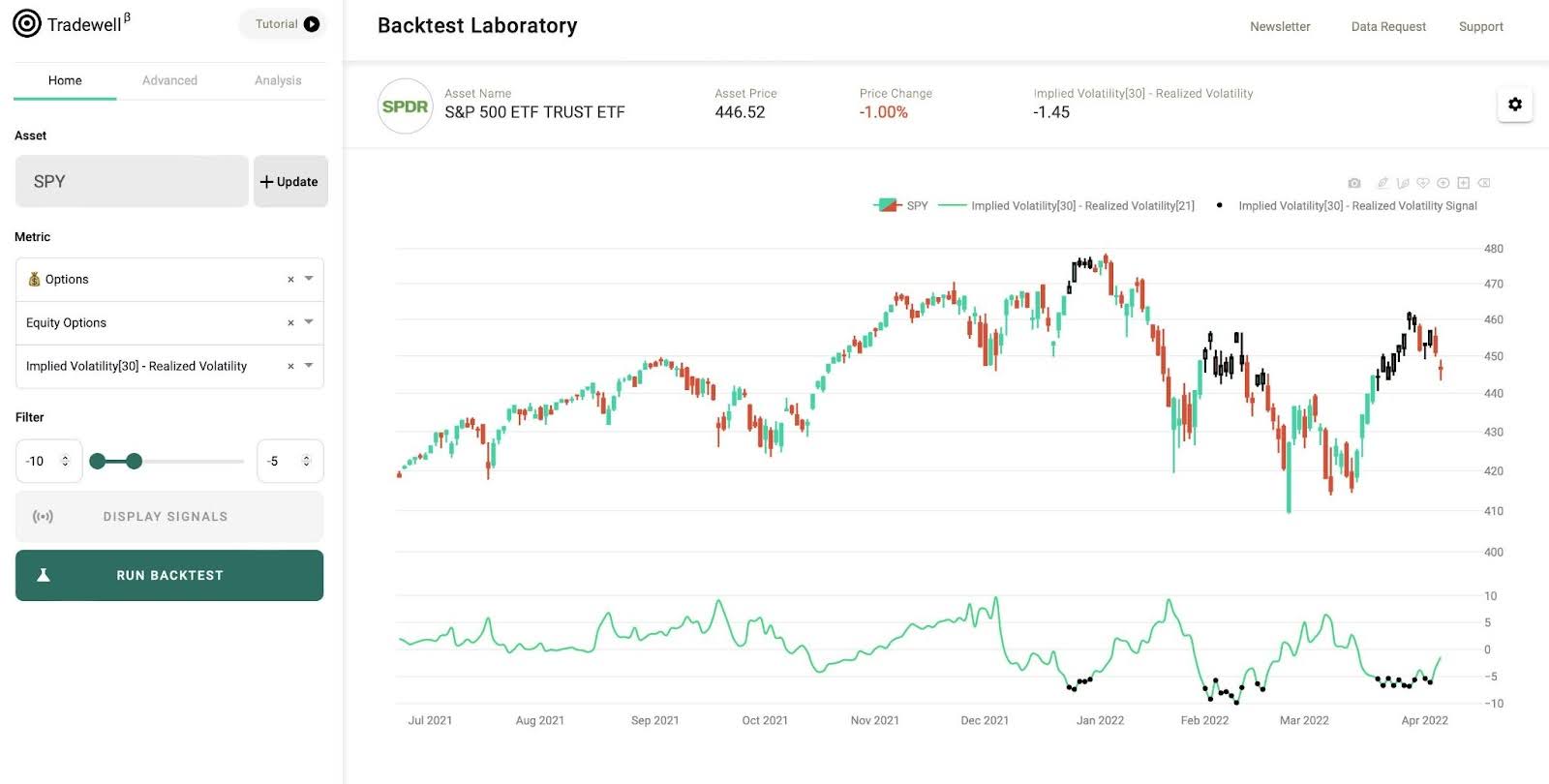
Advantages
- Versatility in trading options. By covering various markets, tradewell.app offers traders the flexibility to engage in multiple types of trading activities all on one platform.
- Educational resources. Just like Forex Tester, Tradewell.app typically includes educational materials and resources, which can be particularly beneficial for new traders.
- Good free version. The free version has a large number of limitations in functionality, but is not limited in time, and is quite usable.
Disadvantages
- Newer platform. As a relatively new or less known entity in the trading space, it might lack the established trust and reputation that come with longer-standing platforms.
- Limited customizability. Depending on the depth of features offered, advanced traders might find the platform’s capabilities somewhat limited compared to specialized or more sophisticated trading platforms.
- Limited functionality. This platform is quite limited in comparison to both FX Replay and Forex Tester Online.
- No life-time access and expensive subscription. Its subscription costs from $30/month (Plus) to $60/month (Professional). So full paid access costs $720 per year, making Tradewell the most expensive tool in the list.
Overall score: 5/10.
5. TradingSim
TradingSim is a comprehensive market simulator designed primarily for those looking to practice and improve their day trading skills without financial risk. The platform provides an opportunity to simulate trading on various US stock markets using historical data.
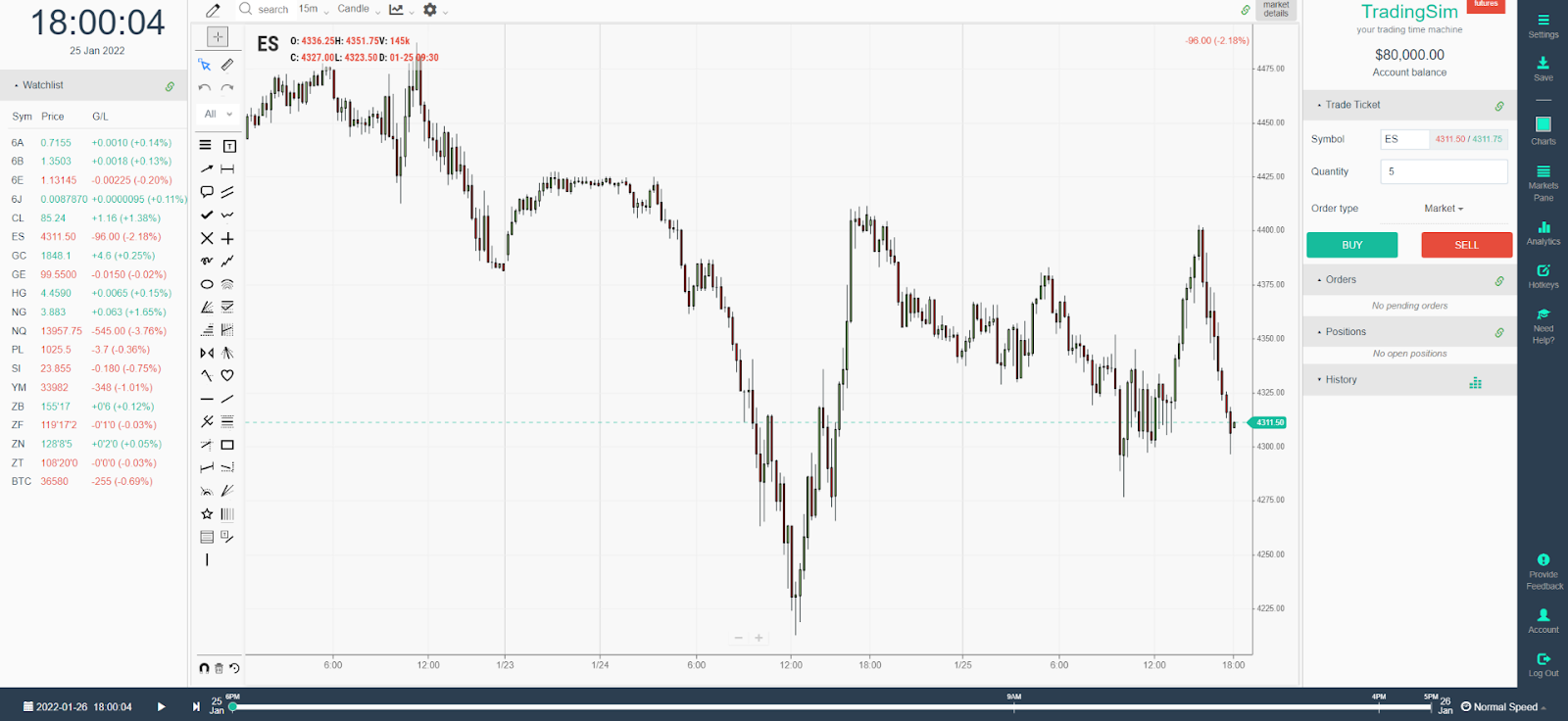
Advantages
- Ease of use. The platform is designed to be user-friendly.
- Decent functionality. This platform offers a fairly wide range of backtesting features to choose from.
- Educational resources. TradingSim includes a variety of educational blogs, tutorials, and lessons aimed at enhancing users’ trading knowledge and skills.
Disadvantages
- Limited data. The access to just 3 years of historical data is a significant disadvantage, as it doesn’t allow test strategies on other time ranges.
- Limited asset classes. The focus is primarily on stocks and ETFs. Traders interested in other markets like Forex, commodities, or cryptocurrencies will not find these available on TradingSim.
- No lifetime plan. Access to TradingSim is subscription-based. This is bad for those who think long-term. The access costs from $33/month for Pro to $37/month for Premium.
Overall score: 7/10.
6. TradingView
Just to make this list full, let’s also consider TradingView. This is one of the most popular trading apps in the world with over 50 million traders using it. It is not designed for backtesting specifically, but yes, you can use TradingView for testing your Forex strategies.
TradingView is a popular platform among traders for its charting capabilities, technical analysis tools, and collaborative features. It also provides a powerful scripting language called Pine Script, which traders use to create custom indicators.
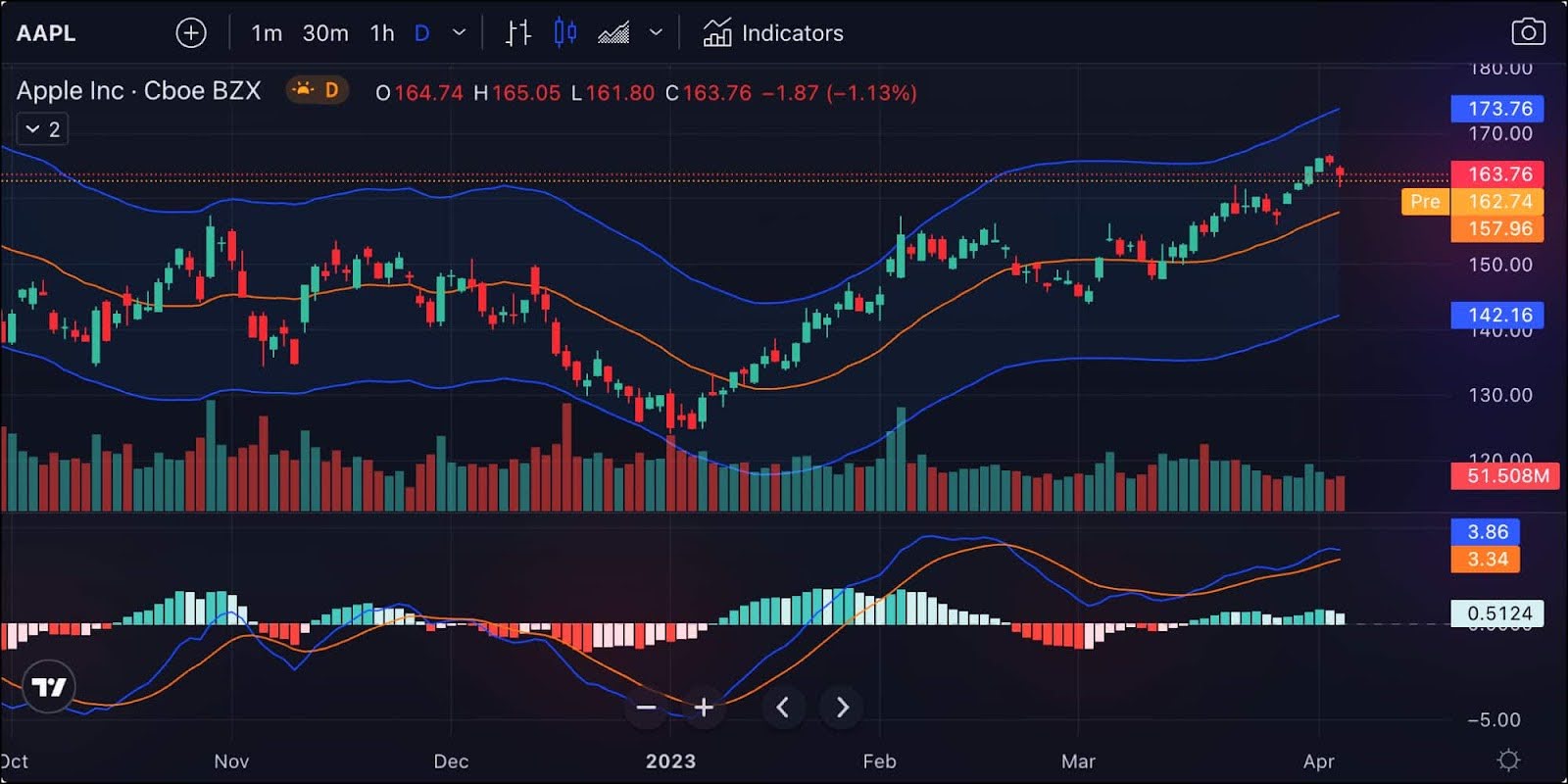
We recommend you to have a TradingView account as a part of your trading arsenal. But still, it doesn’t offer the same level of trading functionality as FX Replay, FTO, Forex Tester or any similar backtesting platform.
Overall score: 7/10.
7. TradeZella
TradeZella is a trading journal and analytics platform designed to help traders improve by tracking and analyzing their trades. It also offers historical backtesting and replay, making it an alternative for traders who want to combine practice with journaling and performance analysis.
Its users can evaluate their trading approach, grow from their errors, and improve their overall performance with the use of data, insights, and comments.

Advantages
- Automated trade journaling. TradeZella syncs with various trading accounts, including MetaTrader 4 and 5. This saves you time by automatically recording your trades, so you don’t have to enter data manually.
- Detailed analytics. The platform provides analytics to help you understand your trading performance. You can see your win rates, average profits and losses, risk-reward ratios, and performance by day or instrument. Visual tools like equity curves and P&L calendars make it easier to spot strengths and weaknesses.
- Strategy tracking. You can create a playbook to document your trading strategies, including entry and exit rules. This helps you stay organized and measure how well each strategy performs over time.
- Visual trade recaps. TradeZella integrates with TradingView to show your trade entries and exits on charts. This makes it easy to review your trades and see how the market moved.
- Psychological journaling. The platform lets you record your thoughts and feelings about each trade. This helps you identify patterns in your behavior that might affect your trading decisions.
Disadvantages
- Check the backtesting workflow. TradeZella includes replay and Zella AI inside backtesting sessions. Compare its instruments, data coverage and plan limits with your requirements.
- Subscription cost. TradeZella uses a subscription model. While it offers many features, the ongoing cost might be a concern for some traders.
- Learning curve. There may be a learning curve to use all of TradeZella’s features effectively.
- Imported trade data. Journal analysis depends on the completeness of your imported or synced trades; this is separate from the platform’s backtesting data.
Overall score: 7/10.
TradeZella is a good tool for traders who want to improve through journaling and analysis. Its backtesting, replay and journal tools can support both practice and review.
Free alternatives to FX Replay
FTO Free, described above, is one browser-based starting point. FX Replay also offers a free Beginner plan. Here are two further options to consider.
MetaTrader 4 or 5
MT4 has more custom indicators and EAs available, but MT5 is a newer platform and can be used to trade more markets. MetaTrader and FX Replay are very different in every possible way. But still, both can be used for backtesting. You may try MT4/5 in these situations:
- If you need a free platform with robust functionality.
- If you trade multiple asset classes.
- If you rely on automated trading systems (EAs).
- If you value a strong community and third-party tools.
- If you prefer mobile accessibility.
While FXReplay excels at manual backtesting with user-friendly features, MetaTrader 4 and 5 are still superior for general trading, backtesting, and customization needs. Both are good in their own way and are worth trying.
Traders Gym in ThinkTrader
For most traders, Traders Gym on ThinkTrader offers a more practical, cost-effective and reliable solution for both testing strategies and executing real-time market trading.
- Free to Use: No subscription fees.
- Seamless Integration: Fully integrated with ThinkTrader for live and simulated trading.
- Greater Market Access: Supports multiple asset classes.
- Real-Time Simulation: Testing precise and dynamic strategies.
- Intuitive Design: Easy to use for both beginners and advanced traders.
- Reliability: Fewer interruptions due to connection problems.
Compare the free options first, including FTO Free and FX Replay Beginner, then consider a paid plan if you need more testing capacity or specialist tools.
Сonclusion
FX Replay is one of the best online backtesting tools available today. The right alternative depends on your instruments, data requirements, navigation tools and analysis workflow.
The alternatives cover different workflows, from browser-based manual practice to installed simulators and trade journaling. Check the current plan and market coverage before choosing.
Forex Tester Online is a rapidly developing platform that’s already ahead of FX Replay in several important features. More advanced capabilities are being added regularly to further enhance the trading experience.
- Smart Navigation: Find setups through price levels, news and indicator signals
- Professional-Grade Data: Tick-level historical data; FX Replay also offers seconds data on Pro
- Realistic Trading Environment: Features like mid-test deposits/withdrawals and proper margin call handling
- Trader-Centric Design: Purpose-built UI with persistent templates and layouts
- Long-Term Value: Lifetime purchase option versus ongoing subscription costs
More useful advanced features will be added in the near future, including the features available in Forex Tester. So far this is the most interesting FX Replay alternative that definitely deserves your attention.
For serious traders seeking a professional backtesting solution, Forex Tester Online delivers the best combination of performance, precision, and value. While other alternatives offer some advantages, FTO’s foundation in the proven Forex Tester ecosystem combined with modern browser-based accessibility makes it the clear choice for traders in 2026.
Right now, you can try Forex Tester Online and share your feedback to help enhance the platform even further.
FAQ
What is similar to FX Replay?
You can also consider: NinjaTrader, cTrader, Forexthrive.com and TraderEdge.
Can I test automated trading strategies on FX Replay?
No, FX Replay does not support automated trading strategies or the ability to add custom auto trading algorithms. This is mentioned as one of its significant drawbacks for professional traders.
If you’re looking to test automated strategies, you would need to consider alternatives like Forex Tester Online, which supports trading robots on Pro, or platforms like MetaTrader 4/5 that already support this functionality.
Does FX Replay offer any advantages over MetaTrader for backtesting?
FX Replay’s main advantages over MetaTrader include browser-based accessibility (no installation needed) and a more intuitive interface designed specifically for manual backtesting.
However, MetaTrader provides better customization options, stronger support for automated trading systems, and access to more markets. Choose according to whether you need browser-based manual replay or MetaTrader’s EA testing and broker ecosystem.
How far back can you go on FX Replay?
Available history varies by instrument and data source. Check the current FX Replay asset list for the start date of the exact market you want to test.

Forex Tester Online
Best FX Replay alternative and affordable advanced backtesting tool