
To install a Forex Tester version, you need to download the software.
- Launch installer after the download.
-
Click the “Run” button in the Open File dialog window.
*Click “Yes” if the operating system asks you to allow the program to make changes on your PC.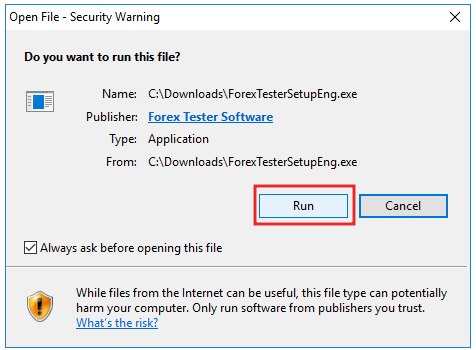
-
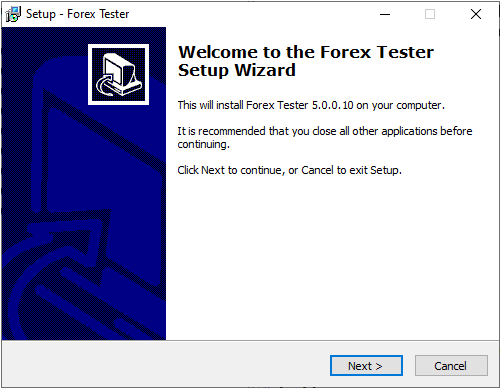
Click “Next” when the Welcome to the Forex Tester Setup Wizard window appears.
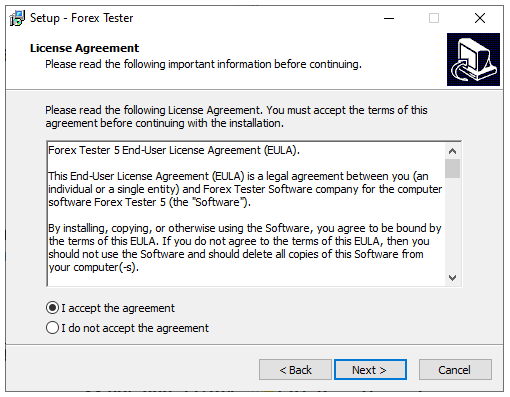
- Please, read the End-User License Agreement carefully.
- Confirm your consent by selecting the “I accept the agreement” option and clicking “Next”.
-
Select the folder where the Forex Tester program will be installed and click the “Next” button.
*We highly recommend you to install Forex Tester into the default location (C:\ForexTester).
We don’t suggest installing the program into a (C:\Program Files\) folder, as the program errors may appear.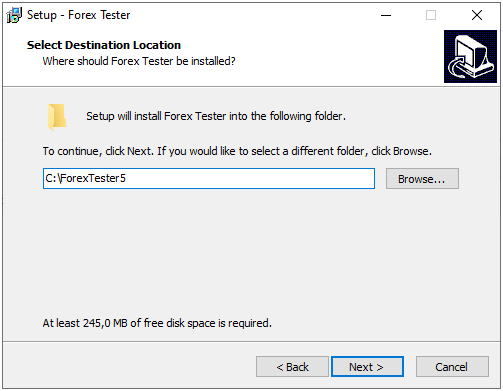
-
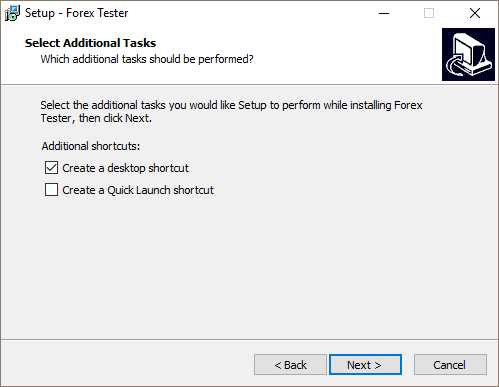
Activate the “Create a desktop shortcut” option for easier access and click “Next” to continue.
-
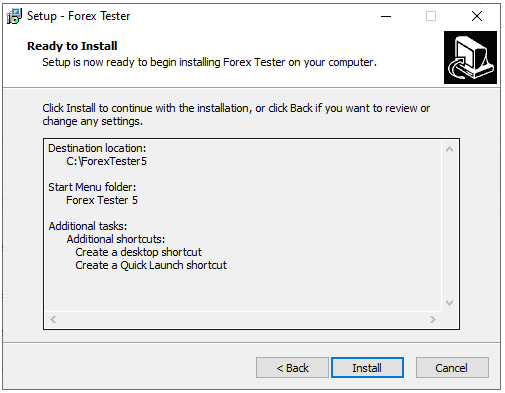
Click “Install” and wait to complete the software installation process on your computer.
-
Activate the “Launch Forex Tester” option and click the “Finish” button to launch the program immediately.
*Or uncheck this option if you want to run it later.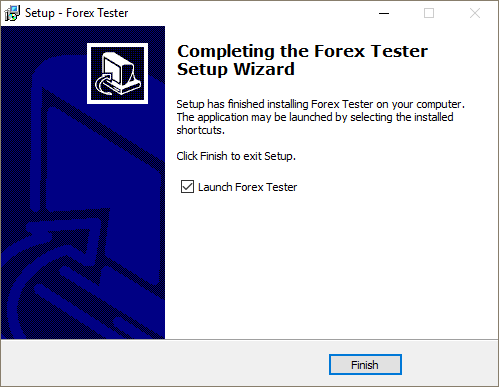
Congratulations! The program has been installed on your computer.
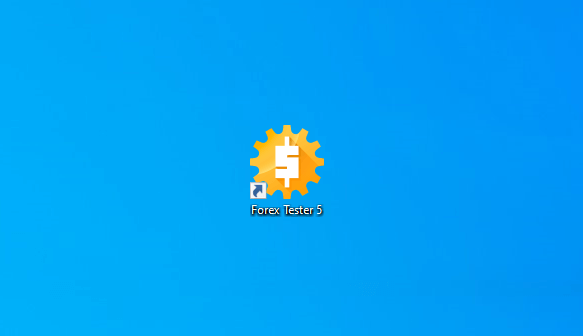
*The Forex Tester shortcut icon will appear on your desktop if you have chosen this option during the installation.



 INTROMOB10